- 3月 09 週三 201113:58
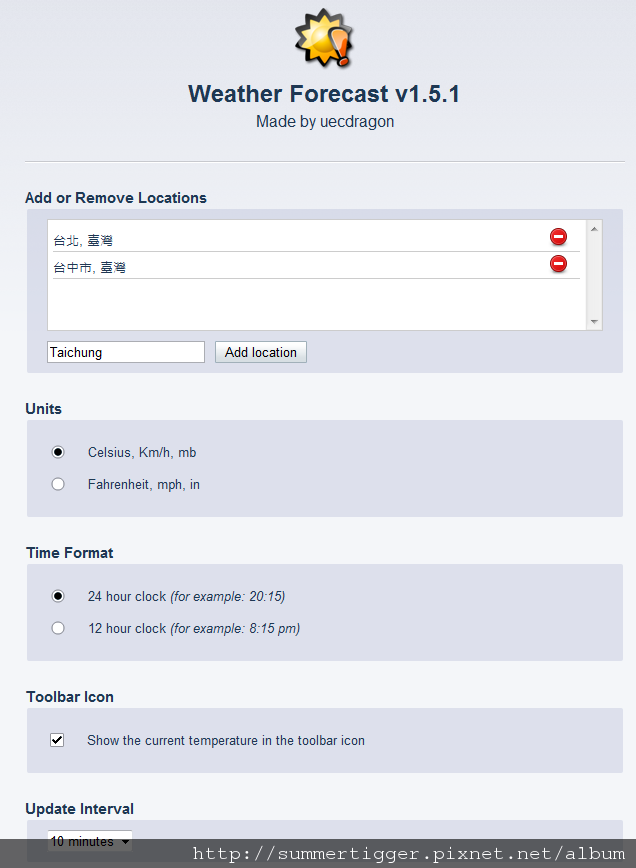
Opera 11 Extensions - 05 Weather Forecast (Opera11延伸套件 - 天氣預報)
- 3月 08 週二 201111:50
Opera 11 Extensions - 04 image autosizer (Opera11延伸套件 - 圖片檔案自動調整)
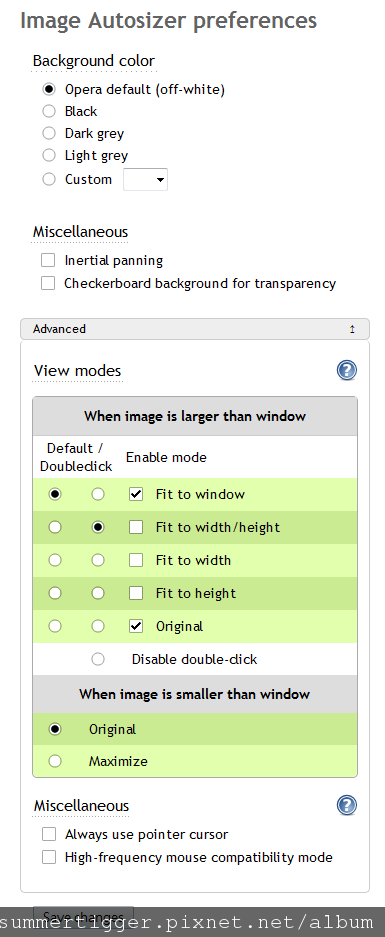
Image Autosizer 1.8
function: 8/10
compatibility: 10/10
- 3月 07 週一 201100:22
Opera 11 Extensions - 03 Gmail checker (Opera11延伸套件 - Gmail)

Gmail checker 1.1.2 Gmail套件
function: 10/10
compatibility: 10/10
- 3月 07 週一 201100:03
Opera 11 Extensions - 02 Translate (Opera11延伸套件 - 網站翻譯)
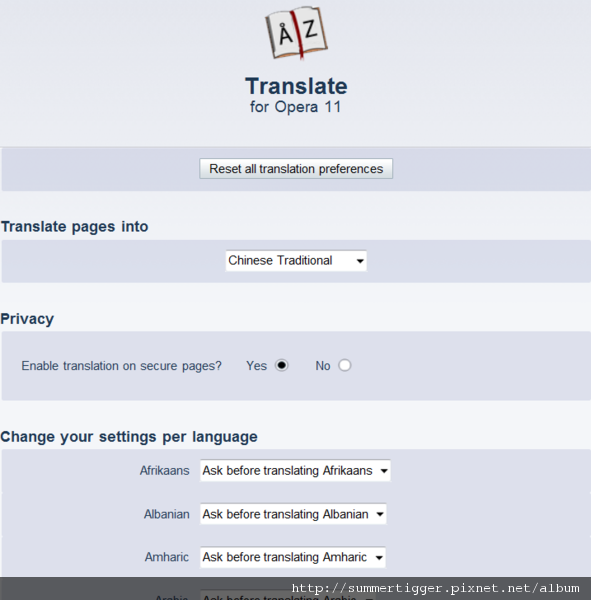
Translate 1.4 網站翻譯套件
function: 8/10 (some people may like to see the original language to get information, but still useful to other unfamiliar languages)
compatibility: 8/10 (some websites may show the wrong language information)
- 3月 06 週日 201101:26
Opera 11 Extensions - 01 image preview popup (Opera11延伸套件 - 預覽圖片)
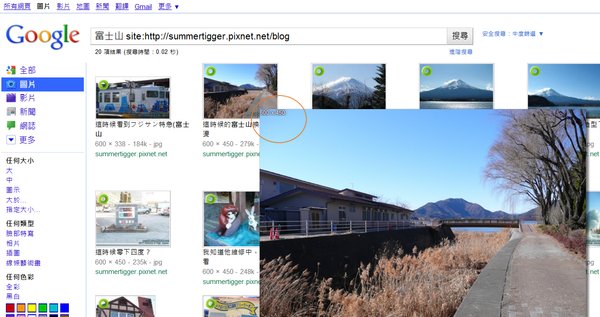
image preview popup 2.6.5 預覽圖片
function: 10/10
compatibility: 10/10 (no serious problems so far I think...)
It can give you a quick original image size preview before clicking the link. I think it's qualified to be built in the browser!
- 3月 05 週六 201102:09
Opera 11 Extensions - 00 Overview (Opera11延伸套件 - 概述)
Several months ago, I wrote an article about the browsers, Opera and Chrome-- Chrome is not my final choice..., and now, I would like to go further to the Opera browser. As time goes by, Opera recently launched the 11th version. The main feature is that Opera finally supported the extensions, those were applied in Chrome earlier. In the past, Opera can only use JavaScript to display the customized function such as WOT, super preloader, autosizer, etc. But now, some of the functions can use the extensions to accomplish. I think for normal end-users, using extensions is easier than javascript because instead of editing the javascript code, extensions provide the UI for the users. Of course, I will write an article for javascript of Opera next time.
之前曾經寫過Opera和Chrome瀏覽器的文章 Chrome is not my final choice..,現在我想繼續提Opera,隨著時間的演進,Opera最近也出到11版了,其中最主要的特色就是支援了延伸套件,而這功能Chrome早就有了。在過去,Opera只能用javascript的方式來呈現一些外加的功能,如網站安全評鑑,超級預讀(快速翻頁),圖片調整等功能,但現在一些功能已經可用延伸套件做到了。我想對於一般的使用者而言,使用延伸套件比起javascript來的簡單多,因為比起修改javascript裡的程式碼而言,使用套件的操作介面自行調整更容易上手。當然,我以後也會寫一篇關於opera的javscript文章。以下是官網和影片介紹:
- 3月 04 週五 201123:40
How to enable google instant previews in Opera (如何在Opera中開啟Google即時預覽)
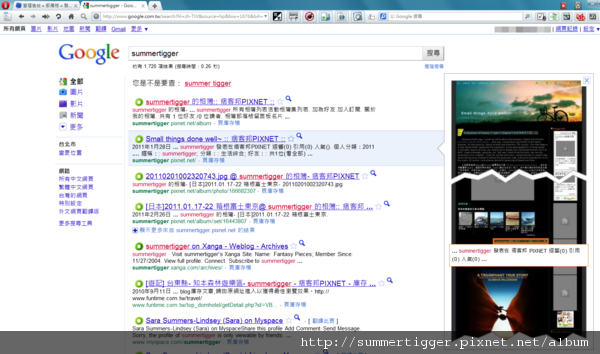
"Google instant previews" is a very powerful technique provided by google. It can show the preview before you clicking the link. Here I don't want to explain the function of this tool. Please use your IE browser and try google search, and I think you will know what I talk about or you already have used it.
But if you use Opera browser, you will find that you can't use this google tool normally. Now let us use a simple trick to overcome it.
google即時預覽功能有相當強大的預覽效果,由google提供且能在點進網頁前就提供該頁的預覽圖檔。這邊我就不詳細介紹該功能了,請自行利用你的IE瀏覽器體驗一下,我想你應該就會知道我在說什麼或是其實你已經有在用了。
- 8月 21 週六 201021:23
Chrome is not my final choice.....
If you ask me what kind of software do people use the most. I will regard the browser software as the answer. In the past years, I used Maxthon to be my browser. Of course I also have tried other browsers, such as Opera, Firefox, Avent, GreenBrowser, but Maxthon is the most "simple" browser for me. Why do I use "simple" to be my criteria? For me, I really need some extra functions but not too much. Everything should be done smoothly, quickly, and effectively. Maxthon is a good choice, and at least it can satisfy my need. But due to some reasons (IE core, stability, etc...), I decided to find another browser to replace it, and the best alternatives are Opera and Chrome.
1
 Travel-Taiwan (Go!! Nature) (6)